
URL Parser Online is a free, fast, and easy-to-use tool that breaks down any URL into its core components — including protocol, hostname, path, port, and query parameters. Whether you’re a developer, digital marketer, or SEO specialist, this tool helps you quickly understand and analyze complex URLs without any hassle.
Simply paste your URL, and instantly view all its parts — including the query string and its individual key-value pairs in a clear, organized format. It’s perfect for debugging, checking UTM parameters, testing APIs, and analyzing link structures, all without needing to sign up or install anything.
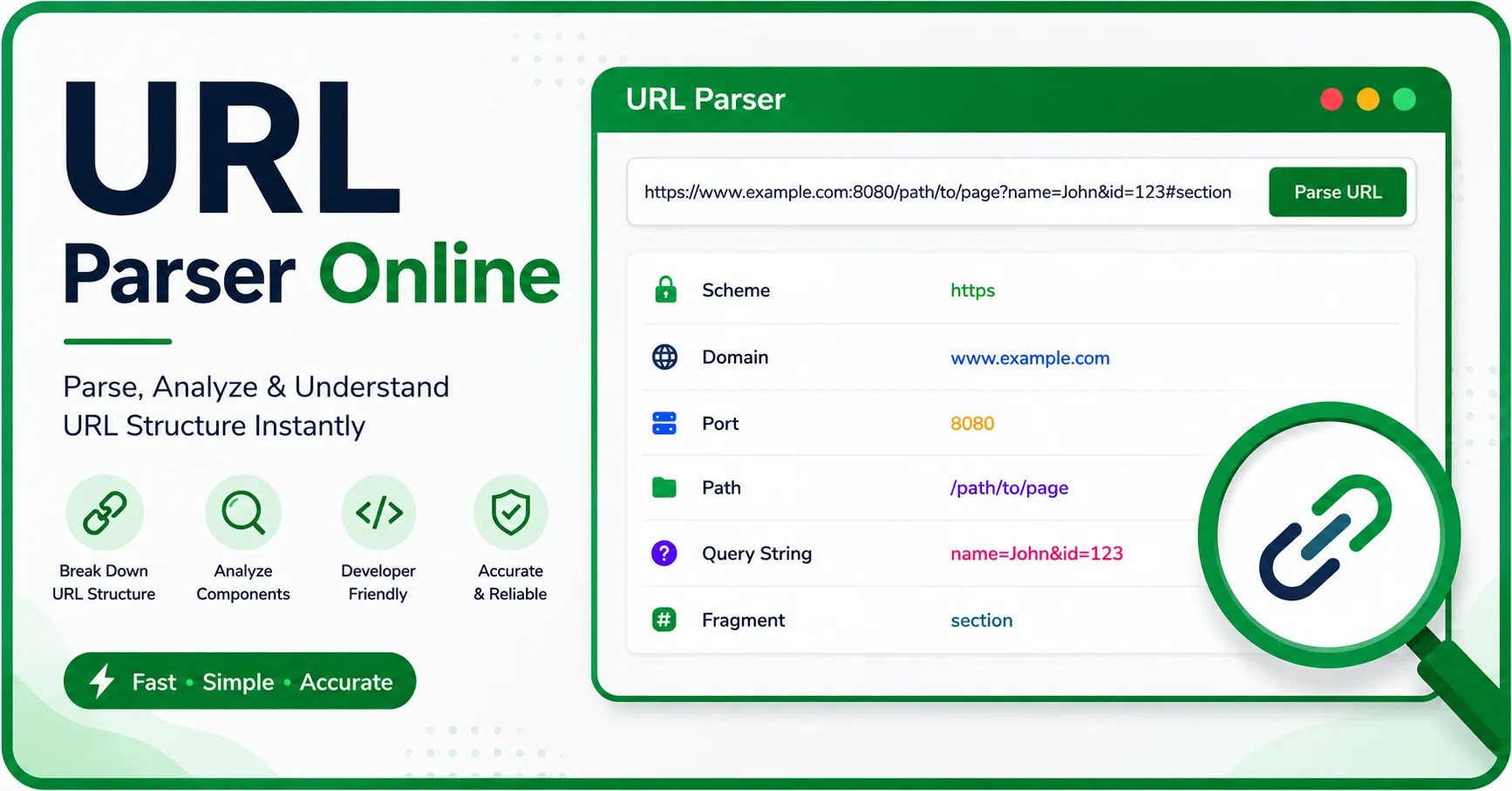
Table of Contents
- What Is a URL Parser?
- Understanding URL Structure: 7 Core Components
- How to Use Our URL Parser Online Tool
- Real Example: Parsing a URL With UTM Parameters
- Why Parsing Query Parameters Matters
- URL Parser Use Cases by Audience
- Common URL Parsing Mistakes and Encoding Issues
- URL Parsing and Security: Spotting Suspicious URLs
- Parsing Mobile App Deep Links
- URL Parser vs Manual Parsing (Code-Based)
- Frequently Asked Questions
Every web address looks simple at first glance, but behind that single line of text sits a structured set of information. A URL parser online tool takes that address and separates it into readable pieces, so instead of staring at one long, confusing string, you see exactly what each part means.
This becomes especially useful once a link starts stacking multiple parameters, ports, or encoded characters — something that happens constantly with tracking links, API endpoints, and ecommerce product pages. Whether you build websites, run marketing campaigns, or just want to understand a link someone sent you, breaking a URL apart by hand is slow and error-prone. A free URL parser removes that guesswork instantly — no signup, no installation, no coding required.
1. What Is a URL Parser?
A URL parser is a small utility — usually browser-based — that reads a complete web address and separates it into its individual pieces: the protocol, the domain, the path, any parameters, and so on. Instead of manually counting slashes, question marks, and ampersands to figure out where one section ends and another begins, the tool does that work automatically and displays the result in a clean, labeled layout.
This matters because URLs follow a formal structure defined by internet standards, but that structure isn’t obvious just by reading the text. A single address might quietly contain a port number, several tracking parameters, and a section anchor all at once — and a parser makes each of those visible at a glance.
2. Understanding URL Structure: 7 Core Components
Before parsing becomes useful, it helps to know what a url parser online actually looks at. A full web address can be made up of up to seven distinct pieces, though most everyday links only use a handful of them.
Protocol (Scheme)
This sits at the very start of the address — http:// or https:// being the most common. It tells the browser which method to use when talking to the server. HTTPS adds encryption, which is now the standard for nearly every legitimate site.
Username and Password
Rarely seen in everyday browsing, but some URLs embed login credentials directly, formatted as username:password@. This is mostly found in technical or legacy contexts.
Hostname (Domain)
This identifies which server the request is going to — for example, shop.example.com. It’s the part most people recognize instantly as “the website.”
Port
An optional number, such as :8080, that points to a specific service on the server. Most public websites use default ports (80 for HTTP, 443 for HTTPS), so this number is usually hidden.
Path
Everything after the domain that points to a specific page or resource, like /products/shoes. Think of it as the folder structure of the website.
Query String and Parameters
The section starting with ?, made up of key-value pairs separated by & — for example, ?color=black&size=10. These carry extra instructions to the server, such as search terms, filters, or tracking data.
Fragment
Starting with #, this points to a specific section within a page, like #reviews. It’s handled entirely by the browser and never sent to the server.
These components follow the syntax defined in the official URI standard, which specifies scheme, host, port, path, query string, and fragment as the recognized building blocks of a web address (RFC 3986).
4. Real Example: Parsing a URL With UTM Parameters
Numbers make more sense with an example. Take this link:
https://shop.example.com/products/shoes?color=black&size=10&utm_source=google&utm_medium=cpc#details
Run through a url parser online, this breaks down into:
| Component | Value |
|---|---|
| Protocol | https |
| Hostname | shop.example.com |
| Path | /products/shoes |
| Parameter: color | black |
| Parameter: size | 10 |
| Parameter: utm_source | |
| Parameter: utm_medium | cpc |
| Fragment | #details |
Instead of scanning the raw string character by character, you get an instant, organized table — particularly handy when a marketing link carries five or six tracking parameters at once.
5. Why Parsing Query Parameters Matters
Query parameters look like small details, but they carry real weight depending on who’s reading them:
- Search and filtering — parameters like
?q=or?sort=control what a page displays. - Pagination — values such as
?page=2tell a site which results to load. - Marketing attribution — UTM tags reveal where traffic originated (Google, email, a specific campaign).
- API and webhook debugging — developers rely on parsed query data to confirm a request sent the correct payload.
Misreading even one parameter can lead to wrong conclusions — attributing traffic to the wrong channel, or missing why an API call is returning unexpected data.
6. URL Parser Use Cases by Audience
Different people reach for a URL parser for different reasons. Here’s how the tool typically gets used across roles:
| Audience | Primary Use Case | What They Look At |
|---|---|---|
| Developers | Debugging API requests and app links | Path, query parameters, port |
| SEO Professionals | Auditing dynamic and filtered URLs | Query strings, duplicate parameters |
| Digital Marketers | Verifying tracking links | utm_source, utm_medium, utm_campaign |
| Website Owners | Understanding unfamiliar links | Hostname, path, overall structure |
| Everyday Users | Checking where a shortened or shared link leads | Hostname, protocol |
7. Common URL Parsing Mistakes and Encoding Issues
Manually reading a URL often leads to small but costly mistakes:
- Missing the encoding — characters like spaces or special symbols get replaced with percent-codes (
%20for a space), which can make a value unreadable unless it’s decoded first. - Confusing an ampersand for part of a value — since
&separates parameters, a literal ampersand inside a value must be encoded as&, or the structure breaks. - Overlooking duplicate parameters — a URL can legally repeat the same key more than once (
?tag=a&tag=b), and manual reading often catches only the first instance. - Mixing up path and query string — the path defines where a resource lives, while the query string defines how it should be filtered or modified; treating them as one thing causes confusion when debugging.
A parsing tool sidesteps all of this by decoding and separating everything automatically, rather than relying on a careful read-through.
3. How to Use This Free URL Parser
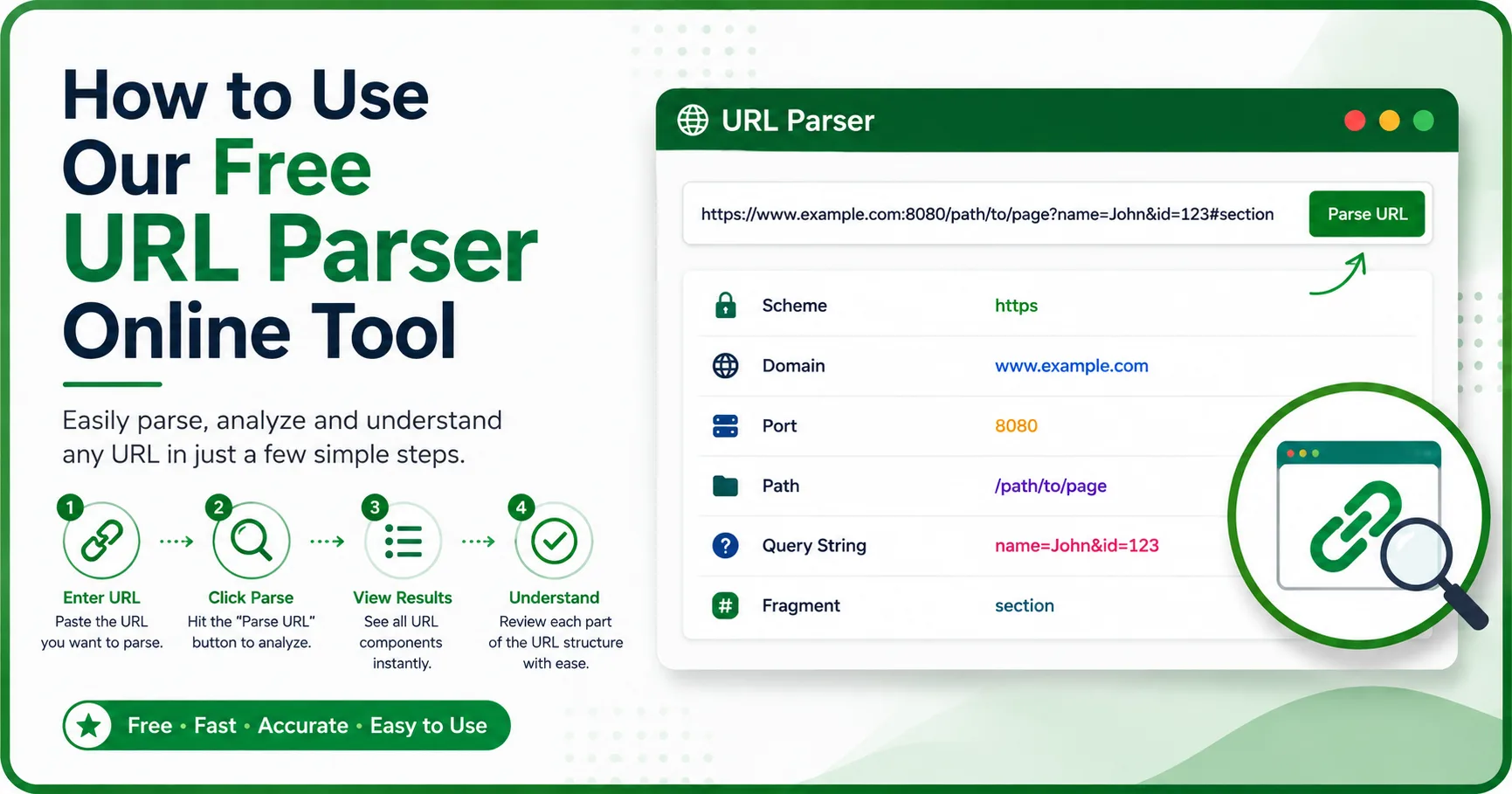
You don’t need any coding background or account to use this tool — it’s built for quick, one-step analysis.
- Copy the full URL you want to inspect.
- Paste it into the input field on this page.
- Click the parse button to run the analysis.
- Review each labeled section: protocol, hostname, port, path, parameters, and fragment.
- Use the copy button next to any value to grab just that piece for your own use.
Everything runs directly in your browser, so the address you paste is never sent to an external server — useful if you’re working with internal links, private dashboards, or client URLs you’d rather not share.
8. URL Parsing and Security: Spotting Suspicious URLs
Beyond convenience, parsing has a practical safety use. Phishing links often disguise their real destination using tricks like:
- A hostname that looks similar to a trusted brand but isn’t (
paypa1.cominstead ofpaypal.com) - A legitimate-looking domain buried inside the path or a parameter, hoping a quick glance mistakes it for the actual host
- Excessive encoding meant to hide the true destination from a casual read
Running a suspicious link through a parser exposes the actual hostname clearly, separated from everything else — making it much harder for a disguised address to pass as trustworthy. This is a simple habit worth building before clicking any unfamiliar shortened or forwarded link.
9. Parsing Mobile App Deep Links
URLs aren’t limited to websites. Mobile apps use custom schemes to open specific screens directly — for example:
myapp://profile/settings?tab=notifications
Here, myapp:// replaces https:// as the protocol, profile/settings acts as the path, and tab=notifications is a standard query parameter. Developers testing deep links can use the same parsing logic to confirm a link routes to the correct in-app screen with the right parameters attached, without needing to open the app itself.
10. URL Parser vs Manual Parsing (Code-Based)
Developers can technically parse a URL themselves using built-in language functions, but that’s not always the fastest option.
| Method | Speed | Setup Needed | Best For |
|---|---|---|---|
| Online URL Parser | Instant | None | Quick checks, non-developers, one-off links |
JavaScript (URL object) |
Fast, but requires writing code | Code editor / console | Automating parsing inside an application |
Python (urllib.parse) |
Fast, but requires writing code | Python environment | Scripts, data pipelines, backend processing |
If you’re parsing a URL once to understand it, the online tool is the quicker route. If you’re parsing thousands of URLs as part of an application or script, code-based parsing makes more sense.
Start Parsing URLs in Seconds
Long, cluttered links don’t need to stay confusing. With a free URL parser online, you can break down any web address into clear, labeled parts — protocol, hostname, path, parameters, and fragment — without writing a single line of code. Paste your next link into the tool above and see exactly what it’s made of.
11. Frequently Asked Questions
What is a URL parser?
It’s a tool that breaks a web address into its individual parts — protocol, hostname, path, query parameters, and fragment — so each piece can be read and understood separately.
How does URL parsing work?
The tool reads the URL string and splits it at defined markers (like ://, ?, &, and #) that separate each component, following standard URL syntax rules.
What’s the difference between a URL parser and a URL decoder?
A parser separates a URL into components; a decoder converts percent-encoded characters (like %20) back into readable text. They’re often used together but solve different problems.
Is it safe to parse URLs online?
Yes, as long as the tool processes the URL in your browser rather than sending it to a server. This tool keeps private or internal links from being transmitted anywhere.
What are UTM parameters in a URL?
They’re tracking tags (utm_source, utm_medium, utm_campaign, etc.) added to a link to identify where traffic came from, commonly used in marketing campaigns.
Can a URL parser handle duplicate query parameters?
Yes — a properly built parser will list every instance of a repeated key rather than showing only the first one.
What is a URL query parser?
A URL query parser extracts and separates the key-value pairs found after the “?” in a URL, such as ?color=black&size=10, making filters, search terms, and tracking parameters readable at a glance instead of one long string.
What is URL encoding and decoding?
URL encoding converts unsafe or special characters (spaces, &, #, etc.) into a percent-encoded format so they can safely travel inside a URL; a URL decoder does the reverse, turning that percent-encoded text back into readable characters.
Looking for more free tools like this? Browse our full collection of free SEO tools, including the Meta Tag Generator and Word Counter Online, or check our SEO blog for more guides like this one.