
If you’ve ever wondered why your traffic isn’t growing despite publishing great content, duplicate URLs might be quietly working against you behind the scenes. A duplicate URL finder is the fastest way to uncover this hidden problem — and this guide explains exactly what duplicate URLs are, why they hurt your rankings, how a duplicate URL finder works, and how to find and fix duplicate URLs on your own website, step by step.
What Is a Duplicate URL Finder?
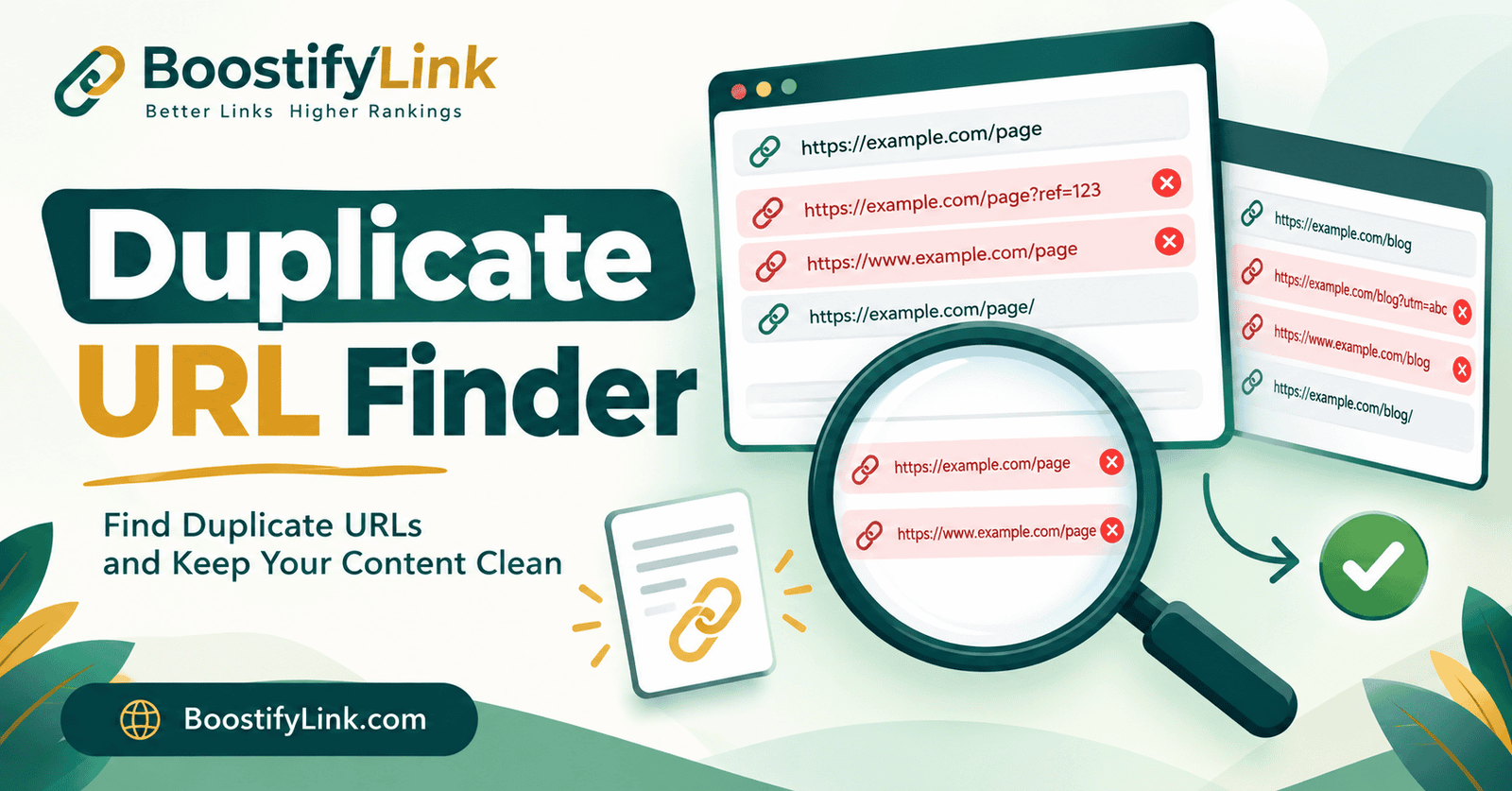
A duplicate URL finder is a tool that scans a list of web addresses — pasted manually, extracted from a sitemap, or exported from a crawl report — and detects which ones point to the same or nearly identical content. Instead of comparing URLs as plain text, a good duplicate URL finder applies smart normalization logic so it can catch duplicates that look different on the surface but load the exact same page.
For example, all of the following could be flagged by a duplicate URL finder as duplicates, even though they appear as separate strings:
https://example.com/shoeshttps://www.example.com/shoeshttp://example.com/shoeshttps://example.com/shoes/https://example.com/shoes?sort=pricehttps://example.com/shoes?utm_source=facebook
That’s six different URLs pointing to essentially one page. Multiply this across thousands of product pages, blog tags, or filter combinations, and you can end up with a website that has far more indexed URLs than actual unique content — which is exactly the kind of problem a duplicate URL finder is built to catch.
Why You Need a Duplicate URL Finder for SEO
A duplicate URL finder exists because unmanaged duplicate URLs have real, measurable consequences for search visibility:
1. Wasted crawl budget Search engines allocate a limited amount of crawling activity to every website. When bots spend time crawling five duplicate versions of the same page, they have less time to discover and index your genuinely new or updated content. Running a regular scan helps you reclaim that wasted crawl activity.
2. Keyword cannibalization When multiple URLs target the same keyword, they compete against each other in search results instead of one strong page ranking clearly. This kind of check helps you spot these overlapping pages before they cannibalize each other’s rankings.
3. Diluted link equity Backlinks pointing to different duplicate versions of a page split the authority that would otherwise strengthen a single canonical version.
4. Inconsistent reporting Duplicate URLs make it harder to track performance accurately in Google Search Console and analytics tools, since traffic and clicks get fragmented across multiple URL variations of the same page.
5. Poor user experience signals If duplicate pages have inconsistent titles, meta descriptions, or load times, users and crawlers alike get a confusing picture of which version is the “real” page.
It’s worth noting — and this is something most articles on this topic skip — that Google has stated not all duplication is a spam violation. Google’s systems generally cluster duplicate URLs together and automatically select a representative canonical version. The real issue isn’t that duplicates exist; it’s when they aren’t properly consolidated, causing crawl waste, cannibalization, or fragmented signals. This is precisely why running a duplicate URL finder before and after a site migration, redesign, or CMS change is considered a technical SEO best practice.
Common Causes of Duplicate URLs
Understanding why duplicate URLs appear makes them much easier to catch with a duplicate URL finder and fix at the source. The most frequent causes include:
- WWW vs non-WWW versions (
www.example.comvsexample.com) - HTTP vs HTTPS versions of the same page
- Trailing slash inconsistency (
/pagevs/page/) - URL parameters — filters, sorting, session IDs, and tracking tags (
?sort=,?ref=,?utm_source=) - Pagination — paginated category or blog pages that duplicate the main listing
- Case sensitivity —
/Shoesvs/shoeson case-sensitive servers - Faceted navigation on e-commerce sites — filtering by size, color, or price generates near-infinite URL combinations
- Printer-friendly or AMP versions of the same content
- Staging or development URLs that accidentally got indexed
E-commerce websites and large blogs with tag/category archives are especially prone to this issue because dynamic URL generation multiplies quickly at scale — which is exactly why these site types benefit most from regular scans.
How a Duplicate URL Finder Works
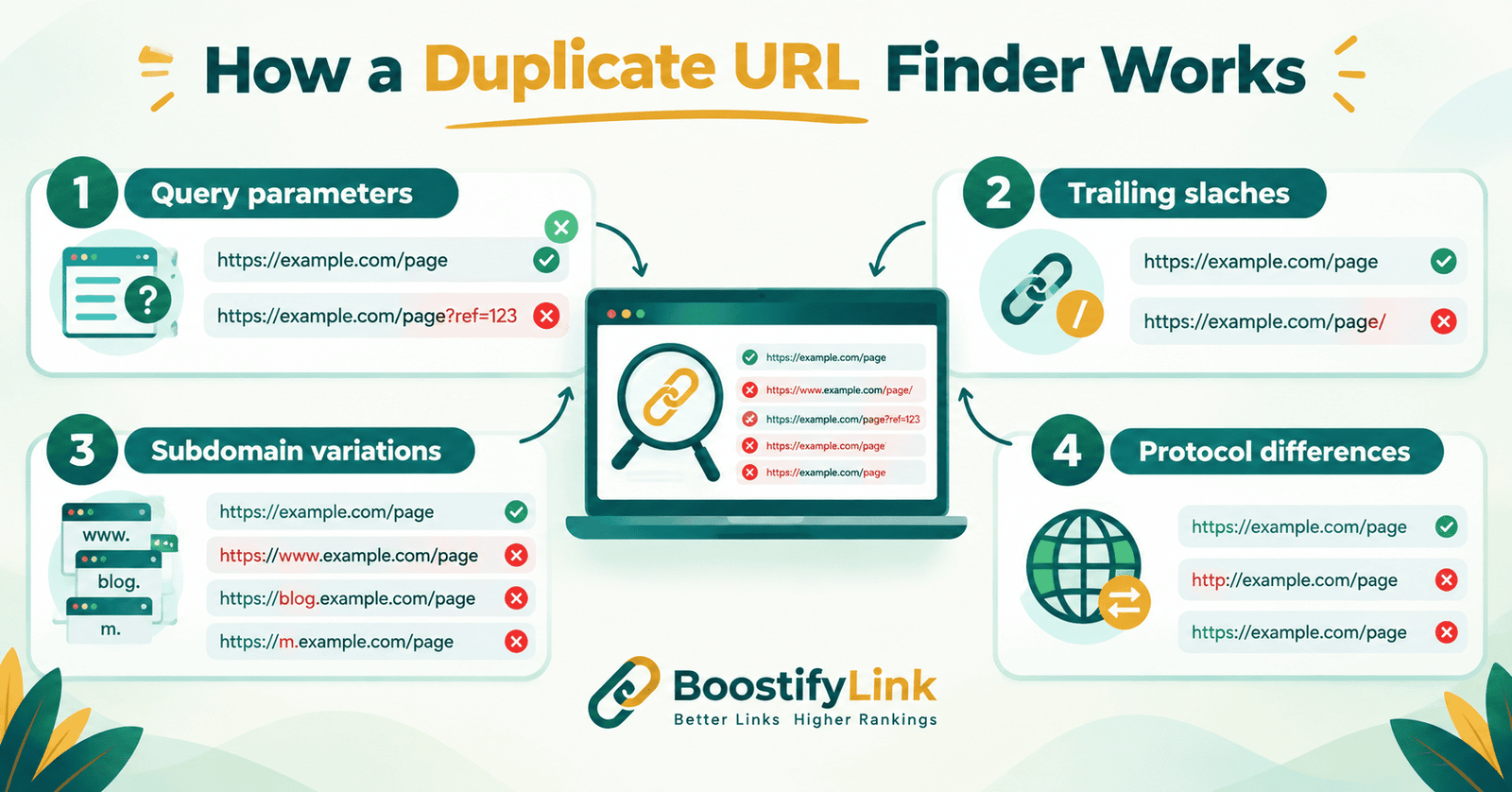
A duplicate URL finder solves this problem by scanning a list of URLs and applying smart URL normalization to detect duplicates that a simple text comparison would miss. Here’s what good normalization logic checks for:
- Protocol differences — treating
http://andhttps://versions as potential duplicates - Subdomain variations — recognizing
www.and non-www.as the same host - Trailing slashes — matching
/pageand/page/as equivalent - Query parameters — identifying when parameters like
?utm_source=,?sessionid=, or?sort=don’t change the actual content - Case sensitivity — flagging URLs that differ only in capitalization
- Exact duplicate strings — catching straightforward repeated entries in bulk URL lists, sitemaps, or exported CSV files
Once duplicates are detected, a duplicate URL finder typically highlights them, shows a duplicate count, and lets you export a cleaned list — useful whether you’re auditing a sitemap, preparing URLs for a site migration, or cleaning up a backlink list before outreach.
How to Find Duplicate URLs on Your Website (Step-by-Step)
Method 1: Use a Duplicate URL Finder Tool
The fastest way is to paste your list of URLs — from a sitemap, a crawl export, or a spreadsheet — directly into a duplicate URL finder. It instantly highlights repeated entries, even when protocols, slashes, or parameters differ, and lets you export the cleaned results in seconds.
Method 2: Check Google Search Console
Inside Search Console, go to Pages under the Indexing report and look for the “Duplicate, Google chose different canonical than user” or “Duplicate without user-selected canonical” labels. These directly show you which URLs Google itself has identified as duplicates on your site — a great cross-check alongside your own manual scan.
Method 3: Use the site: Search Operator
Searching site:yourdomain.com in Google and scrolling to the end of the results (where “omitted results” may appear) can reveal indexed duplicate or near-duplicate pages, though this method is less precise than a dedicated tool or Search Console.
Method 4: Crawl Your Website with an SEO Crawler
Tools like Screaming Frog can crawl your entire site and flag duplicate titles, meta descriptions, and near-identical pages — useful for a deeper technical audit on larger websites, alongside a lightweight tool for quick sitemap checks.
How to Fix Duplicate URLs
Once your duplicate URL finder has identified the problem URLs, here’s how to resolve them:
| Fix | When to Use It |
|---|---|
Canonical tag (<link rel="canonical">) |
Best for parameter-based duplicates (sorting, filtering, tracking) where you want to keep the URL functional but tell search engines which version to index |
| 301 redirect | Best when a duplicate URL should no longer exist at all — permanently forward it to the correct version |
| Noindex tag | Useful for thin or low-value duplicate pages (like internal search results) that shouldn’t be indexed at all |
| Consistent internal linking | Always link internally to the single preferred version of a URL to reinforce which one is canonical |
| URL parameter handling in Search Console | Helps Google understand which parameters change content and which don’t |
The general rule: fix the cause, not just the symptom. If your CMS is generating duplicate URLs automatically (e.g., through faceted navigation), configure it at the source rather than only patching individual flagged pages.
Who Needs a Duplicate URL Finder?
- SEO professionals and agencies auditing client websites for technical issues
- E-commerce site owners dealing with filter- and variant-generated URLs
- Bloggers and publishers with tag, category, and archive pages
- Developers preparing a site migration and needing a clean, deduplicated URL list
- Anyone auditing a sitemap before submitting it to Google Search Console
Whatever your role, a free duplicate URL finder removes the guesswork and gives you an instant, exportable list of exactly what needs fixing.
Frequently Asked Questions
Is there a duplicate URL finder online for free?
Yes, our duplicate URL finder is 100% free and works directly in your browser — no signup or download required. Just paste your URLs and get instant results.
What is the best duplicate URL finder free tool?
A good free duplicate URL finder should detect duplicates even when protocols, slashes, or parameters differ — not just exact text matches. Ours does exactly this at no cost.
How does a duplicate URL finder online work?
It scans a pasted list, sitemap, or exported URL file and normalizes each address before comparing them. Duplicates are then highlighted instantly for review or export.
Does Google have a duplicate URL finder?
Google doesn’t offer a standalone tool, but Search Console’s Indexing report shows duplicate URLs Google has already identified on your site. A dedicated duplicate URL finder catches issues before Google does.
Is there an HTML-based duplicate URL finder?
Yes — lightweight HTML-based tools run entirely in the browser, so URLs are processed locally without uploading data to a server, keeping the process fast and private.
Is there a duplicate URL finder app?
Most duplicate URL checking is done through web-based tools rather than downloadable apps, since browser tools update instantly and need no installation.
Final Thoughts
Duplicate URLs are easy to overlook because they don’t break your website visually — everything still looks fine to visitors. But underneath the surface, they quietly fragment your SEO signals, confuse search engines, and waste crawl budget that could be spent indexing your best content.
Running your sitemap or URL list through a duplicate URL finder regularly — especially after redesigns, migrations, or adding faceted navigation — is one of the simplest technical SEO habits that pays off in cleaner indexing and stronger rankings. Bookmark this duplicate URL finder and make it part of your routine site audit checklist.