
If your website takes more than a few seconds to load, you’re already losing visitors before they see a single word of your content. A free website speed checker online helps you find out exactly how fast your site loads, what’s slowing it down, and what you can do to fix it — all without spending a single rupee or installing any software.
This free website speed checker online lets you test your website’s speed instantly, understand what the results actually mean, and learn practical steps to make your site faster. No technical background needed.
Website Speed Test
Check Google PageSpeed performance, Core Web Vitals lab metrics and optimization opportunities for any public webpage.
PageSpeed Performance Report
Core Performance Metrics
Lab data from LighthouseReal-User Core Web Vitals
Chrome UX Report data when availableOpportunities
Changes that may improve loading performanceDiagnostics
Additional performance informationPassed Audits
Checks already performing well0 passed checks — view details
Test Your Website Speed Now
This free website speed checker online makes testing effortless. Simply enter your website URL above and run the test. Within seconds, you’ll get a full breakdown of your page’s loading performance — including load time, page size, and key ranking metrics.
Here’s what makes this speed checker useful for everyday users:
- No signup required – test your site instantly, no account needed
- Multi-location testing – see how your website performs for visitors in different parts of the world, not just from one server
- Works on any device – run the test from your phone, laptop, or tablet
- 100% free – no hidden limits on basic testing
Once your report is ready, don’t just look at the final score — scroll down to understand what each metric actually means and why it matters.
What Is a Website Speed Checker?
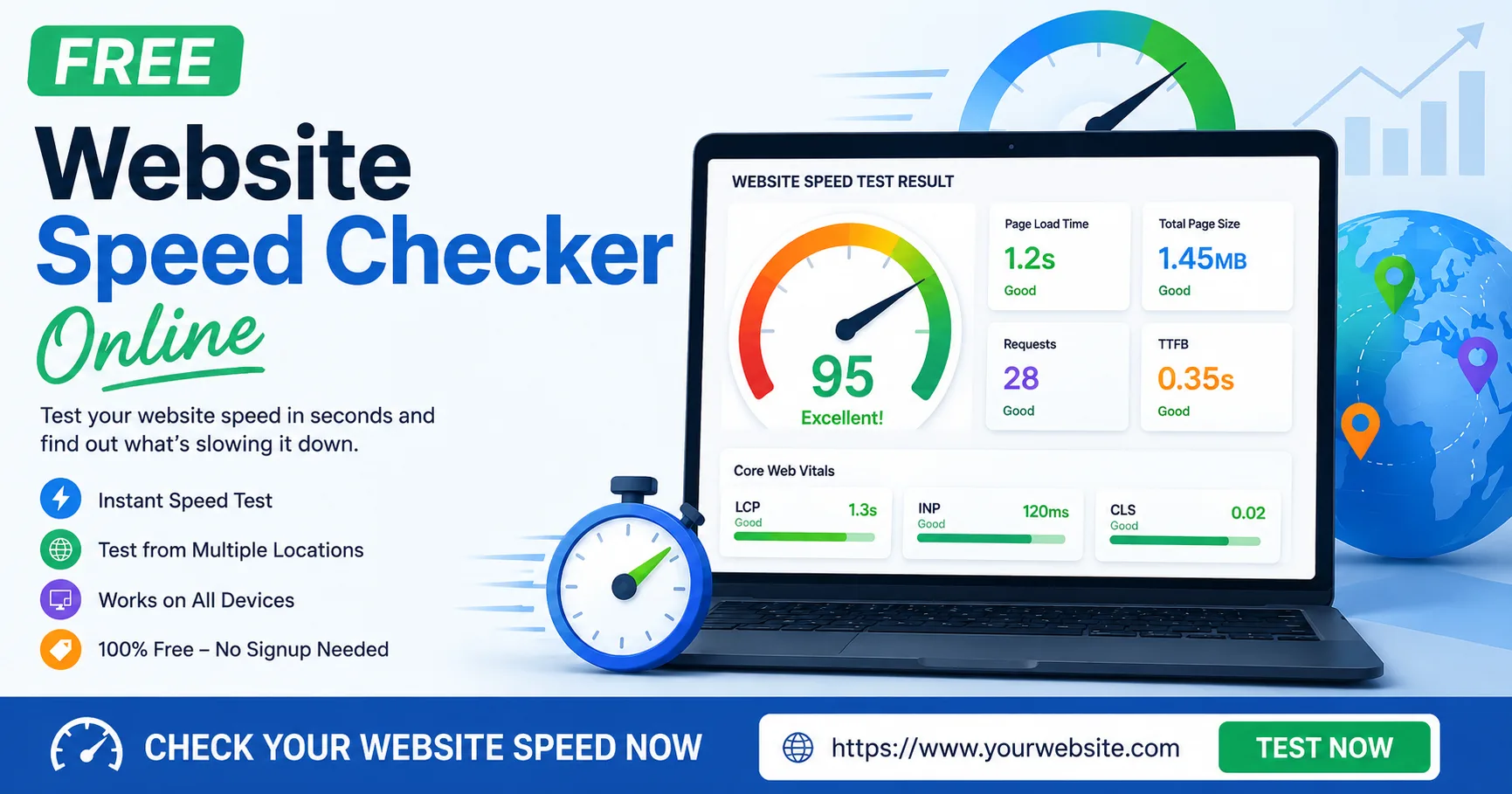
A website speed checker is an online tool that measures how quickly your web pages load and respond when someone visits them. It works by simulating a real visitor loading your page, then measuring things like how long the server took to respond, how quickly content appeared on screen, and how soon the page became usable.
Most speed checkers look at two types of performance:
- Client-side performance – how fast the page renders and becomes interactive in the visitor’s browser
- Server-side performance – how quickly your hosting server responds to the request in the first place
A good free website speed checker online gives you both, plus clear suggestions on what to improve.
Why Website Speed Matters for SEO, UX & Conversions
Website speed isn’t just a technical detail — it directly affects how many people stay on your site, how well you rank on Google, and how much money your website makes. Running a free website speed checker online regularly helps you catch these issues before they cost you traffic.
Google Uses Site Speed as a Ranking Signal
Google has confirmed that page speed is a ranking factor for both desktop and mobile search results. Sites that load faster and pass Google’s Core Web Vitals thresholds tend to get a small but real edge in search rankings, especially when competing against pages of similar content quality.
Impact on Bounce Rate & Conversions
Speed also affects what happens after someone lands on your page. Studies on user behavior consistently show that:
- Visitors are far more likely to leave a page that takes longer than 3 seconds to load
- Slower pages lead to lower conversion rates on forms, purchases, and sign-ups
- Mobile users are even less patient than desktop users, since they’re often on slower connections
In short: a slow website quietly costs you traffic, rankings, and revenue — even if everything else about your site is great.
How to Check Website Speed (Step-by-Step)
Using a free website speed checker online only takes a minute. Here’s how to do it properly.
Enter Your Website URL
Paste the full URL of the page you want to test — not just your homepage. If you’re worried about a specific landing page, product page, or blog post, test that exact page, since performance can vary a lot from one page to another on the same site.
Choose Device – Mobile or Desktop
Always test both. Mobile devices often have slower processors and weaker connections, so a page that loads fine on desktop can feel sluggish on mobile. Since most traffic today comes from mobile, this is the version you should prioritize fixing first.
Read Your Speed Report
Once the test completes, you’ll see a detailed report with your load time, page size, number of requests, and a breakdown of what’s slowing things down. Don’t just glance at the overall score — the real value is in the details below it.
Understanding Your Speed Test Report
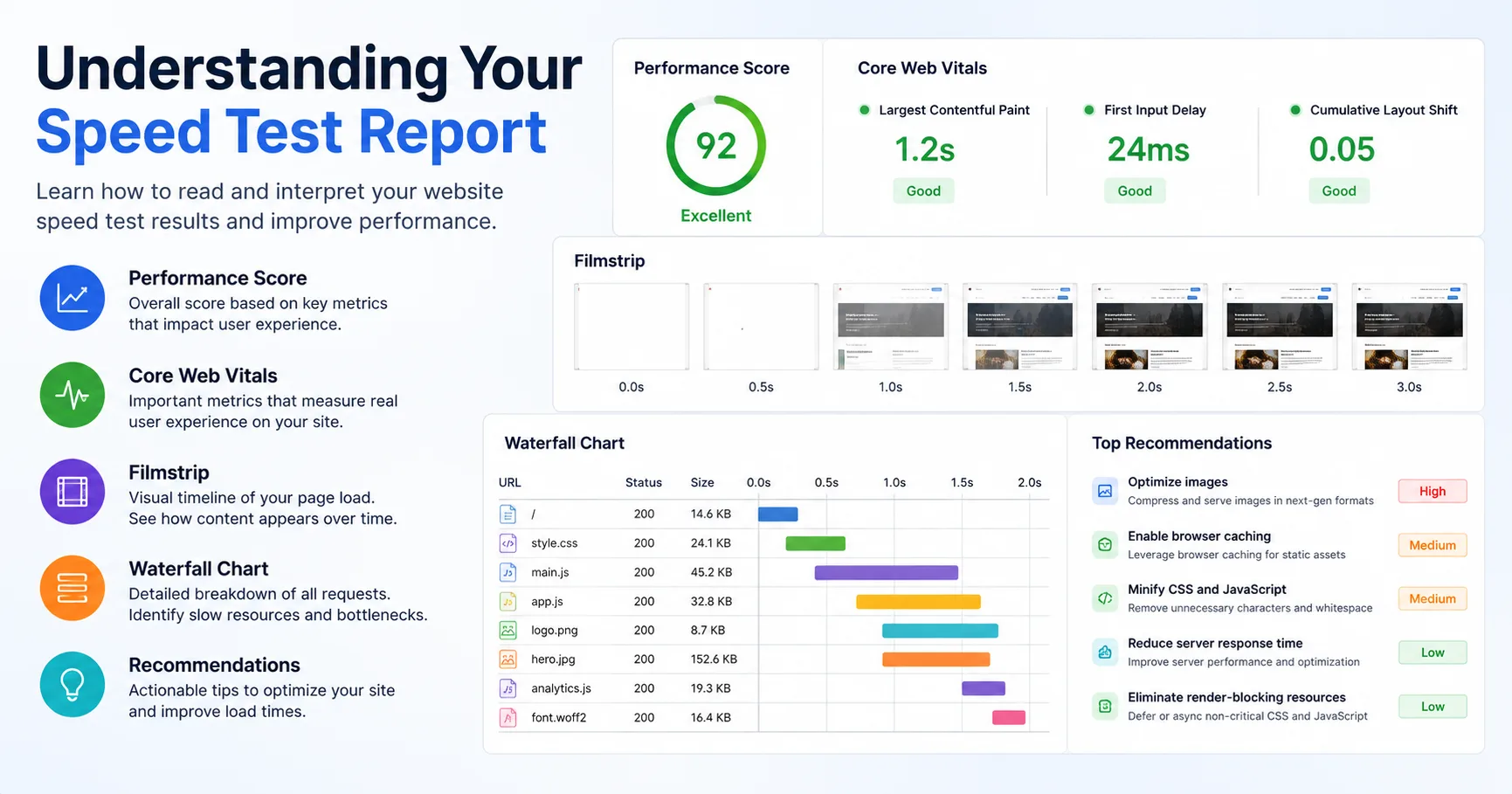
The report from a free website speed checker online can look overwhelming at first. Here’s a plain-language breakdown of what each metric actually means.
Page Load Time
This is the total time it takes for your page to fully load in a browser — from the moment a visitor clicks the link to the moment everything on the page has finished loading.
Time to First Byte (TTFB)
TTFB measures how long it takes your server to send back the very first byte of data after a request. A high TTFB usually points to a slow hosting server, an unoptimized database, or a lack of caching — and it’s often the very first thing worth fixing, since it affects everything else that loads after it.
Core Web Vitals (LCP, INP, CLS)
Core Web Vitals are a specific set of metrics Google uses to judge real-world user experience:
- Largest Contentful Paint (LCP) – how long it takes for the main content of the page to become visible
- Interaction to Next Paint (INP) – how quickly your page responds when a visitor clicks, taps, or types
- Cumulative Layout Shift (CLS) – how much your page’s layout unexpectedly shifts while loading (like buttons moving right as you’re about to click them)
You can read Google’s own explanation of these metrics on the official Web Vitals page.
Lab Data vs Real User Data
It’s worth knowing there are two different ways speed is measured:
- Lab data comes from a simulated test run under controlled conditions — useful for debugging specific issues
- Real user (field) data comes from actual visitors using your site in the real world, with all their different devices and connection speeds
Lab data is great for diagnosing problems, but real user data gives a more honest picture of what your actual visitors experience.
Request Waterfall Breakdown
A waterfall chart shows every single resource your page loads — images, scripts, fonts, stylesheets — and exactly how long each one took. This helps you pinpoint the specific files that are dragging down your load time, instead of guessing.
What Is a Good Website Loading Speed?
Every free website speed checker online measures things slightly differently, but as a general benchmark:
- Under 2.5 seconds – considered good for Largest Contentful Paint
- 2.5 to 4 seconds – needs improvement
- Over 4 seconds – poor, and likely to hurt both rankings and conversions
For overall page load time, aim to keep it under 3 seconds wherever possible. E-commerce and lead-generation sites especially should treat this as a hard limit, since every extra second tends to reduce conversions.
Common Reasons Your Website Is Slow
Before you can fix your speed, a free website speed checker online helps you know what’s usually causing the problem:
- Unoptimized images – large, uncompressed images are one of the most common speed killers
- No caching – without caching, your server has to rebuild the entire page for every single visitor
- Too many plugins or scripts – especially on WordPress sites, each added plugin adds extra loading weight
- Slow or shared hosting – cheap hosting plans often mean your site shares server resources with hundreds of other websites
- Render-blocking CSS and JavaScript – files that must fully load before the page can display anything
- No content delivery network (CDN) – without a CDN, every visitor loads your site from one server location, no matter how far away they are
How to Improve Your Website Speed
Once your free website speed checker online report shows what’s slowing your site down, here’s how to actually fix it.
Compress & Optimize Images
Resize images to the actual dimensions they’ll display at, and compress them using a lossless or lossy compression tool before uploading. Modern formats like WebP or AVIF are noticeably smaller than traditional JPEG or PNG files without a visible quality loss.
Enable Browser Caching
Caching lets returning visitors load your site faster by storing certain files locally in their browser instead of re-downloading them every visit. Most hosting providers and CMS platforms offer simple caching plugins or built-in settings for this.
Use a CDN
A content delivery network stores copies of your site across multiple servers worldwide, so visitors load your content from the server closest to them rather than one single location. This is especially important if your visitors come from multiple countries.
Minify CSS & JavaScript
Minifying removes unnecessary spaces, comments, and characters from your code files, reducing their size without changing how they function. This is a small change that adds up, especially on pages with a lot of scripts.
Optimize Landing Page Experience
Beyond raw speed, make sure your most important pages — the ones people land on from search or ads — load their key content first. Prioritize showing the main headline, image, and call-to-action before less important elements like footers or sidebars.
Monitor Your Website Speed Over Time
Running a single test with a free website speed checker online is a good start, but website speed isn’t a “set it and forget it” thing. New plugins, content updates, and traffic spikes can all slow your site down over time without you noticing.
Share Your Speed Test Results
If you work with a developer, agency, or client, most speed test reports can be shared with a simple link — no need to take screenshots or explain metrics manually. This makes it easier to collaborate on fixes.
Get Alerts When Your Site Is Slow
Setting up ongoing monitoring means you’ll be notified automatically if your site’s speed drops or it goes down entirely, so you can fix problems before your visitors — or your search rankings — are affected.
Test Your Site vs Competitor Websites
A free website speed checker online is also useful for this: one thing many site owners overlook is that speed is relative. A 3-second load time might sound slow, but if your top competitors are loading in 5 seconds, you’re already ahead. Testing your site alongside competitor URLs gives you a realistic benchmark instead of chasing an arbitrary “perfect” score.
Best Free Website Speed Test Tools (GTmetrix, PageSpeed Insights, Pingdom & More)
If you want to cross-check the results from this free website speed checker online, here are some well-known free tools worth knowing about:
- Google PageSpeed Insights – Google’s own tool, combining lab data with real-world Chrome user data
- GTmetrix – detailed waterfall charts and historical performance tracking
- Pingdom Tools – simple, beginner-friendly reports with global test locations
- WebPageTest – the most advanced option, ideal for developers who want deep, real-browser diagnostics
Using more than one tool can be useful, since each one measures slightly different things and tests from different locations. For a quick, no-login check, our free checker above is usually the fastest way to get started before diving into these more advanced tools.
Frequently Asked Questions
How do I check my website speed for free?
Simply paste your website’s URL into a free website speed checker online like the one on this page. You’ll get a full report within seconds, with no signup or payment required.
What is a good website loading speed?
Generally, a page load time under 3 seconds is considered good, with Largest Contentful Paint ideally under 2.5 seconds. Anything over 4 seconds is likely hurting both your rankings and your conversions.
Why is my website loading slow?
The most common causes are unoptimized images, no caching, too many plugins or scripts, slow hosting, and render-blocking code. Running a speed test will usually pinpoint the exact cause for your site.
Does website speed affect SEO ranking?
Yes. Google officially uses page speed and Core Web Vitals as ranking signals for both mobile and desktop search results, alongside content quality and relevance.
How can I test my website speed on mobile?
Most free website speed checker online tools, including this one, let you choose between mobile and desktop testing. Since mobile visitors often make up the majority of traffic, it’s worth testing and optimizing for mobile first.
Conclusion
Website speed affects everything from your search rankings to how many visitors actually stick around and convert. The good news is that with a free website speed checker online, you can diagnose exactly what’s slowing your site down in under a minute — and with the fixes covered in this guide, most of those issues are well within reach, even without a developer.
Run your test above, work through the recommendations one at a time, and re-test every time you make a change. Bookmarking a reliable free website speed checker online means you can repeat this process anytime your site starts to feel slow. Small, consistent improvements add up to a noticeably faster — and higher-ranking