
A secure password does not require a lot of thought to generate. Our Password Generator tool will generate random passwords according to your settings. (Set the Password length, choose letters, numbers, or symbols, and get a brand new password in seconds)
It can serve as a strong password generator, random password generator, or custom password generator when the website has password requirements.
How to Create a Strong Password
A good password should be long, random, and unpredictable. Do not use names, birthdays, telephone numbers, common words, or sequences like 123456 or qwerty.
For a stronger password:
- Choose a suitable password length.
- Combine uppercase and lowercase letters.
- Add numbers and symbols when supported.
- Create a different password for each important account.
- Avoid personal information and recognizable patterns.
If you manage many accounts, storing unique passwords in a trusted password manager is easier than trying to remember them all.
Custom Password Generator
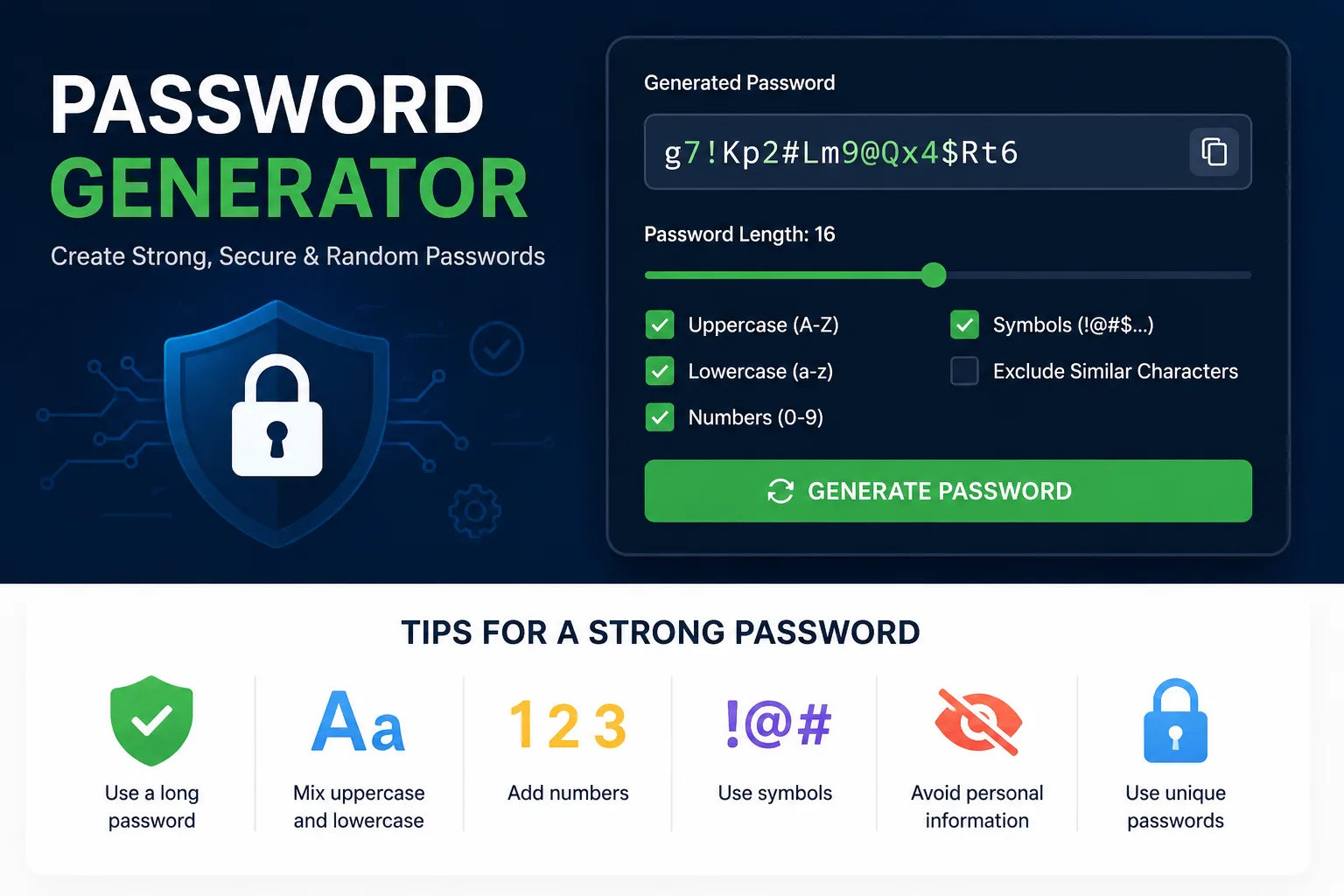
Different websites have different password rules. Our custom password generator lets you adjust the result instead of forcing you to use one fixed format.
You can choose:
- Password length
- Uppercase letters
- Lowercase letters
- Numbers
- Special characters
Looking for a password generator with numbers and symbols? Enable both options. If the site doesn’t support special characters, choose the password generator without symbols setting.
This will make it simple to make a password fulfilling the requirements set by the site or program you’re using.
12, 16 or 20 Character Password Generator
Longer passwords generally provide more possible combinations, but the right length also depends on what the website accepts.
A 12-character password generator can be useful for websites with shorter password limits or specific requirements.
A 16-character password generator gives you additional length and is a practical option when longer passwords are accepted.
If the password is to be stored in a password manager, then a 20-character password generator yields a longer random combination.
Avoid using the shortest possible password just because a website will allow it. If possible, use a more complex password.
Random Password vs Memorable Password
A random password is a random string of characters. This can be convenient in accounts where the password is safely kept in a password manager.
A memorable password or passphrase is a password or passphrase that would be easy to remember. If you want to use a passphrase, choose a few words that do not form a sentence or any recognizable phrase.
If you don’t have to type your password by hand frequently, a long random password is often easier to work with in a password manager.
Are Password Generators Safe?
Not every online password generator works the same way.
For sensitive accounts, check whether the tool stores or sends generated passwords anywhere. A password generator that performs generation locally in the browser can create the password without needing to send the generated result to a remote server.
Regardless of which generator you use, never reuse the generated password across several important accounts.
How Long Should a Password Be?
There isn’t one password length that works for every website. Some services set their own minimum length, maximum length, and character requirements.
Where the service allows it, using a longer password gives the generator more possible combinations to work with.
Instead of focusing only on a specific number, aim for a password that is:
Long + Unique + Unpredictable
That combination matters more than simply adding ! or 1 to an otherwise obvious password.
Should Passwords Include Special Characters?
Numbers and special characters can increase the available character set and are required by some websites.
However, adding a symbol doesn’t automatically make a weak password strong. A password such as a common word followed by 123! is still based on an obvious pattern.
Use symbols when supported, but prioritize password length, uniqueness, and randomness as well.
Password Security Tips That Actually Matter
Have a different password for each crucial account. Don’t use the same email password on other services, as this can make it easier to recover your email password if you use the same one on other services.
Try to use a secure password manager to store long random passwords, and use multi-factor authentication (MFA) if it’s available.
A password should also be changed as soon as it is thought to have been leaked, known to someone accidentally, or used as the result of a relevant data breach.