
Meta descriptions do not directly increase rankings–but they do have a massive impact on whether people visit your page as a result of clicking or not.
And in SEO, clicks matter.
A properly created meta description can skyrocket the click-through rate (CTR), enhance the engagement, and make your page even more effective in search results- without even a single spot of changing the rankings.
This guide contains all the details about what a meta description is, why it is essential, and how to compose it correctly in line with contemporary SEO practices.
What Is a Meta Description?
A meta description is a brief description of a page that appears under the page title in search results.
Its job is simple:
Motivate the searcher that your page is not worthless.
Meta descriptions usually:
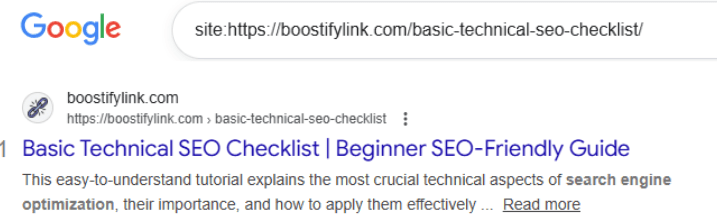
- It will be displayed under the meta title in Google.
- Are they around 150-160 characters long?
- Be organic search ad copy.
Important:
Google will repackage your meta description in case it believes there is a better snippet that would be more pertinent, but that is no excuse to include them.
Do Meta Descriptions Affect SEO Rankings?
Directly? No.
Indirectly? Yes–significantly.
Meta descriptions are not a direct factor of ranking, but they affect:
- Click-through rate (CTR)
- User engagement
- Relevance perception of search results.
Pages with high CTR tend to be effective in the long run because they provide strong user feedback.
In short:
Meta descriptions do not prioritize pages, but they help pages gain clicks.
Why Meta Descriptions Matter More Than You Think
Meta descriptions are often ignored or auto-generated on many websites. That’s a mistake.
Meta descriptions are well written, and that is helpful:
- Increase organic clicks
- Establish expectations concerning users.
- Reduce bounce rates
- Increase brand recognition of searches.
Consider meta descriptions as mini copywriting for search engines.
How Long Should a Meta Description Be?
No specific character limit; however, there exist safe ranges.
Best Practice Length
- Desktop: ~150-160 characters
- Mobile: ~120-140 characters
The pixel width, not the number of characters, is used by Google, implying:
-
Wide letters (W, M) take more space
-
Narrow letters (i, l) take less space
👉 Focus on clarity, not hitting an exact number.
Writing a Good Meta Description (Step by Step).
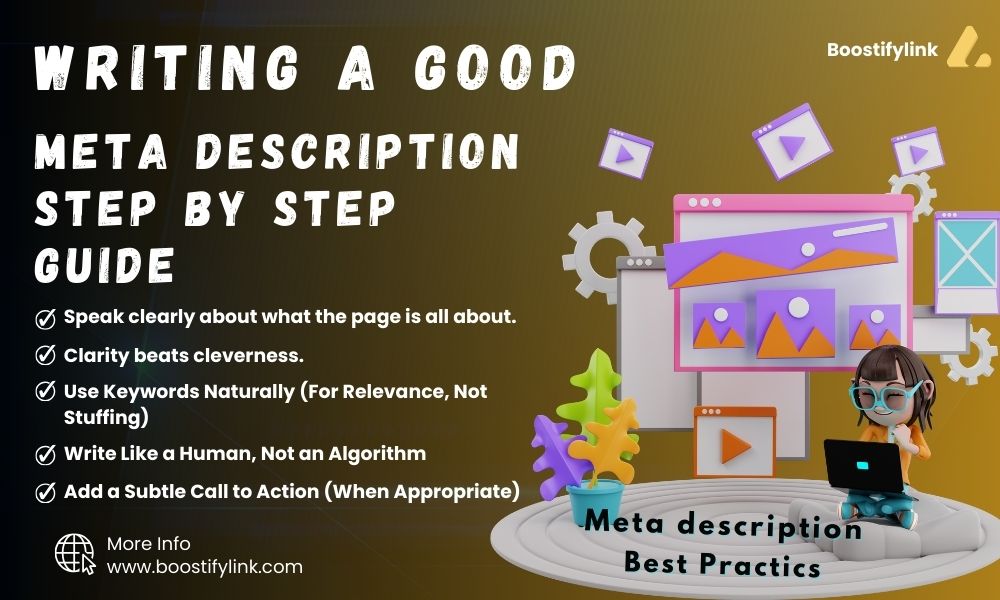
1. Speak clearly about what the page is all about.
Your description should answer one question immediately:
“What will I get if I click this page?”
Avoid vague descriptions like:
“Learn more about our services and solutions.”
Instead, be specific:
“Learn how to write effective meta descriptions that increase clicks and improve search visibility.”
2. Clarity beats cleverness.
Search intent matters more than keywords.
If the search is informational:
-
Explain what the user will learn
If the search is commercial:
-
Highlight benefits or outcomes
If the search is transactional:
-
Focus on action and value
A meta description that matches intent earns more clicks—even if it ranks lower.
3. Use Keywords Naturally (For Relevance, Not Stuffing)
When a search term appears in your meta description, Google often bolds it.
That visual emphasis increases CTR.
Best practice:
-
Include the main keyword once
-
Let it fit naturally into the sentence
-
Avoid repeating it unnecessarily
Example (natural):
“This guide explains how to write meta descriptions that improve click-through rates and search performance.”
4. Write Like a Human, Not an Algorithm
Meta descriptions should read like real language—not SEO formulas.
Avoid:
-
Keyword lists
-
Robotic phrasing
-
Over-optimization
Instead:
-
Use clear sentences
-
Keep a natural flow
-
Sounds helpful and trustworthy
If it wouldn’t convince you to click, rewrite it.
5. Add a Subtle Call to Action (When Appropriate)
A light call to action can improve engagement.
Examples:
-
Learn how
-
Find out why
-
Discover the best way
-
Read the full guide
Don’t overdo it. The goal is encouragement, not sales pressure.
Good vs Bad Meta Description Examples
❌ Bad Example
Meta descriptions meta title SEO meta tags best practices learn more here.
Why it fails:
-
Keyword stuffing
-
No clear message
-
No value
✅ Good Example
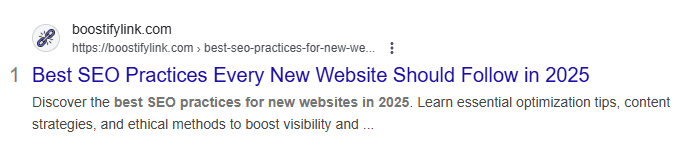
Learn what meta descriptions are, why they matter for SEO, and how to write them correctly to improve click-through rates.
Why it works:
-
Clear topic
-
Matches intent
-
Natural language
Should Every Page Have a Meta Description?
Yes.
Even though Google may rewrite them, writing your own gives you control.
Pages that should always have meta descriptions:
-
Blog posts
-
Category pages
-
Product pages
-
Service pages
-
Important landing pages
Auto-generated descriptions often lack clarity and persuasion.
Common Meta Description Mistakes to Avoid
-
Leaving them blank
-
Using the same description on multiple pages
-
Writing vague or generic summaries
-
Keyword stuffing
-
Writing clickbait that doesn’t match the page
These mistakes don’t just reduce clicks—they reduce trust.
What to Do If Google Rewrites Your Meta Description
Google rewrites meta descriptions when:
-
The description doesn’t match the search query
-
The content doesn’t reflect the page well
-
It finds a better snippet on the page
To reduce rewrites:
-
Make your description accurate
-
Align it closely with the on-page content
-
Avoid misleading language
Even when Google rewrites, a well-written meta description still helps overall relevance.
Meta Descriptions for Different Page Types
Blog Posts
Focus on:
-
What the reader will learn
-
The main takeaway
Ecommerce Pages

Focus on:
-
Product benefits
-
Unique selling points
-
Availability or features
Service Pages
Focus on:
-
The problem you solve
-
Who the service is for
One style does not fit all.
Final Thoughts
Meta descriptions are one of the most underrated SEO elements.
They don’t require backlinks.
They don’t require technical skills.
They don’t require redesigns.
But they directly influence clicks, trust, and engagement.
When written correctly, meta descriptions turn impressions into traffic—and traffic into results.
Small text. Big impact.