
Every successful website is based on technical SEO. Even the best content would not be ranked as it should be because search engines cannot crawl, understand, or index it appropriately. That is where a general technical SEO checklist will be necessary.
This easy-to-understand tutorial explains the most crucial technical aspects of search engine optimization, their importance, and how to apply them effectively without being a complex developer.
What Is Technical SEO?
Technical SEO aims to optimize your site’s infrastructure, so search engines like Google can efficiently crawl, index, and rank it. It does not actually deal with content writing or backlinks, but ensures that your site is in good technical shape.
A solid technical setup improves:
-
Website crawlability
-
Indexing efficiency
-
Page speed and performance
-
Mobile usability
-
Search engine visibility
Why a Basic Technical SEO Checklist Matters
For beginners, technical SEO can feel overwhelming. A checklist helps you:
-
Avoid common SEO mistakes
-
Fix hidden issues that hurt rankings
-
Improve user experience and site performance
-
Prepare your website for Google algorithm updates
Even minor technical improvements can lead to significant gains in ranking and traffic.
Basic 11 Technical SEO Checklist for Beginners
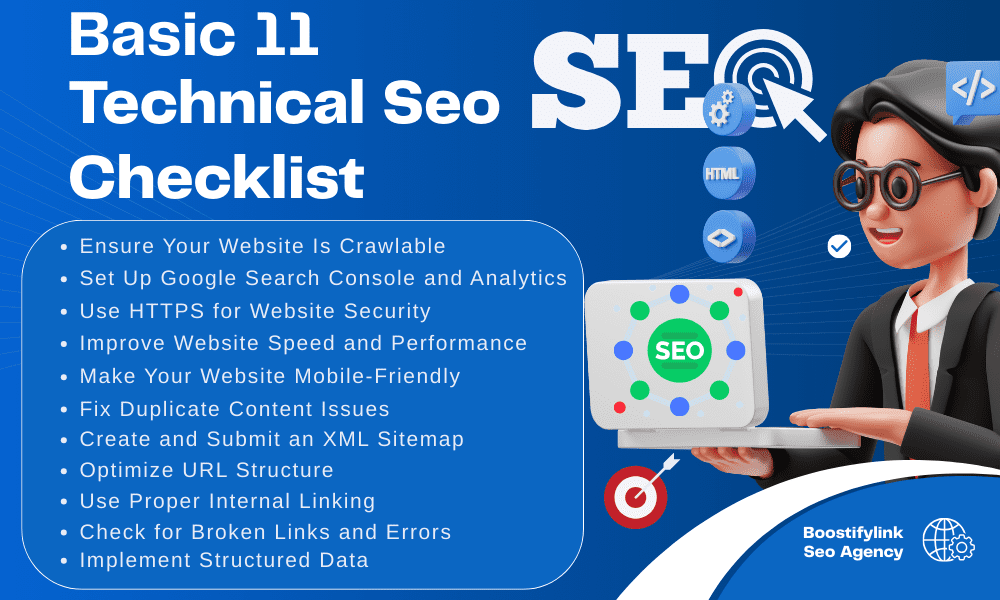
1. Ensure Your Website Is Crawlable
Search engines use bots to crawl websites. If your site blocks them, your pages won’t appear in search results.
Key checks:
-
Make sure important pages are not blocked in the
robots.txtfile -
Avoid using
noindextags on pages you want ranked -
Use Google Search Console to test URL indexing
2. Set Up Google Search Console and Analytics
Every website should be connected to:
-
Google Search Console (for indexing, coverage, and errors)
-
Google Analytics (for traffic and user behavior)
These tools help you monitor:
-
Crawl errors
-
Page performance
-
Mobile usability issues
-
Core Web Vitals
This step is essential for technical SEO audits.
3. Use HTTPS for Website Security
HTTPS is a confirmed Google ranking factor. Secure websites protect user data and build trust.
Checklist actions:
-
Install an SSL certificate
-
Redirect all HTTP URLs to HTTPS
-
Fix mixed content issues (HTTP elements on HTTPS pages)
4. Improve Website Speed and Performance
Page speed directly impacts rankings and user experience. Slow websites lead to higher bounce rates.
Basic optimizations include:
-
Compress images without losing quality
-
Enable browser caching
-
Minimize CSS, JavaScript, and HTML files
-
Use a reliable hosting provider
Use tools like PageSpeed Insights or GTmetrix to identify issues.
5. Make Your Website Mobile-Friendly
Google uses mobile-first indexing, meaning it primarily evaluates the mobile version of your site.
What to check:
-
Responsive design on all screen sizes
-
Readable font sizes
-
Proper spacing between buttons and links
-
No horizontal scrolling on mobile
Test your site using Google’s Mobile-Friendly Test.
6. Fix Duplicate Content Issues
Duplicate content confuses search engines and weakens rankings.
Best practices:
-
Use canonical tags to indicate the preferred URL
-
Avoid publishing duplicate content on multiple pages
-
Handle URL parameters carefully
This helps consolidate ranking signals and improve SEO clarity.
7. Create and Submit an XML Sitemap
An XML sitemap helps search engines discover and index your pages faster.
Checklist tips:
-
Include only important, indexable pages
-
Exclude thin or duplicate pages
-
Submit your sitemap to Google Search Console
-
Update it automatically when new pages are added
8. Optimize URL Structure
Clean URLs improve both user experience and search engine understanding.
SEO-friendly URLs should:
-
Be short and descriptive
-
Include relevant keywords naturally
-
Avoid unnecessary parameters or random characters
-
Use hyphens instead of underscores
Example:example.com/basic-technical-seo-checklist
9. Use Proper Internal Linking
Internal links help search engines understand a site’s structure and the importance of its pages.
Best practices:
-
Link essential pages from your homepage
-
Use descriptive anchor text
-
Avoid excessive links on a single page
-
Ensure no broken internal links exist
Internal linking improves crawl depth and distributes SEO value.
10. Check for Broken Links and Errors
Broken links harm user experience and waste crawl budget.
Actions to take:
-
Fix 404 errors
-
Redirect deleted pages properly using 301 redirects
-
Remove or update broken internal and external links
Regular audits keep your site technically healthy.
11. Implement Structured Data (Optional but Powerful)
Structured data helps search engines better understand your content and can generate richer results.
Common schema types:
-
Article
-
FAQ
-
Breadcrumbs
-
Product
While not mandatory for beginners, it can improve visibility and click-through rates.
Common Technical SEO Mistakes Beginners Should Avoid
-
Blocking important pages accidentally
-
Ignoring mobile optimization
-
Forgetting to redirect HTTP to HTTPS
-
Allowing duplicate URLs to index
-
Not monitoring technical errors regularly
Avoiding these mistakes gives you a strong SEO advantage.
Final Thoughts
SEO requires a good technical base. Using this simple technical SEO checklist, novices can improve crawlability, indexing, site performance, and overall rankings without technical expertise.
Begin with the necessities, keep an eye on your site, and improve your technical SEO as your site expands. Organic traffic can be increased in the long term, even with simple improvements.